Framework

Which is the methodology behind the tool? Here you can find its conceptual foundations, the seven-stage process, the cognitive-emotional design principles that make it specific to cultural heritage, and the two formats it comes in.

What it is

A card-based tool

The CoDesign Tool is a structured, game-like framework of boards and themed card decks that supports collaborative ideation in cultural heritage, developed by CNR ISPC (Italy) and Fraunhofer IGD (Germany) within the Horizon Europe PERCEIVE and COLOURS projects.

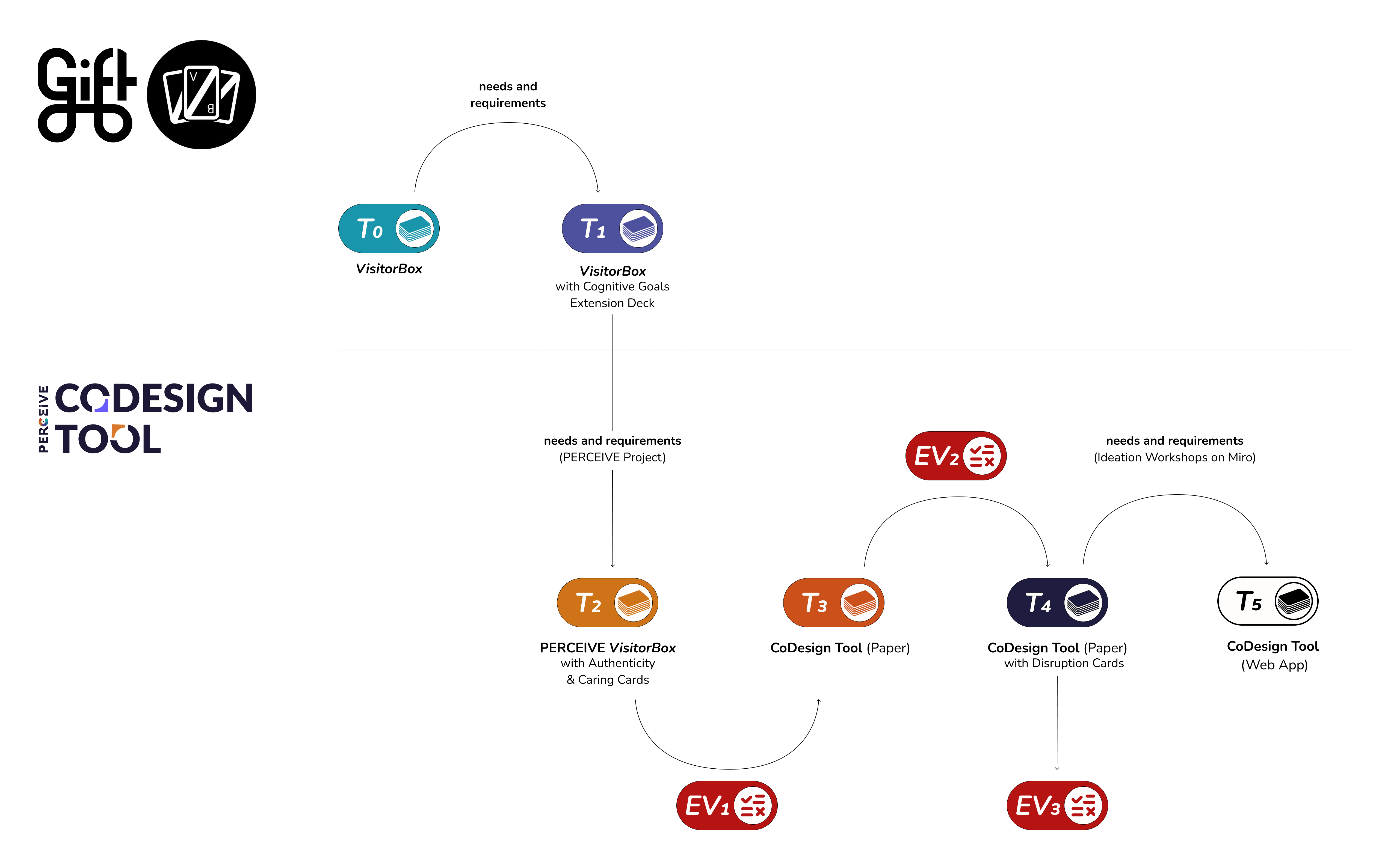
Built on the legacy of the open-access VisitorBox toolkit (GIFT, Horizon 2020), it adds a dedicated cognitive-emotional stage, a redesigned Disruption Stage to stress-test ideas, and a clearer, more inclusive layout. Evaluations show improved clarity and more balanced team participation compared to its predecessor.

From VisitorBox to the CoDesign Tool: design workflow
Who is it for

Designed for interdisciplinary collaboration

Any design process is inherently nonlinear, iterative, and shaped by the specific needs of each project. In cultural heritage, that complexity is compounded by structural challenges that are nearly universal:

These are the general challenges the CoDesign Tool was built to address. In practice, that means it's aimed specifically at the kinds of teams and contexts where these pressures show up most:

Research consortia

Multi-institutional teams like PERCEIVE use it to co-design proof-of-concept experiences across distributed partners, aligning goals before development begins.

University courses

Used in Master-level programmes in Digital Humanities and Multimodal Design to teach interdisciplinary design processes in an interactive, hands-on format.

Museums and heritage institutions

Curators, educators, and technologists working together to design digital or hybrid visitor experiences, without relying on external design consultants.

Design sprints and workshops

Any team that needs to move from a blank slate to a tested, storyboarded concept in a single session, whether in a classroom, a museum lab, or a conference workshop.

The process

Seven stages from context to storyboard

The process is sequential and divided into two phases. The first four stages build a complete Design Brief. The Design Brief then becomes the foundation for the second phase, where the team generates, visualises, and stress-tests their concept.

Phase 1 / Design Brief
01
Context
Let's start by defining the foundation of your design process:
1a / AUDIENCES

Which type of visitor is the target of your experience?

1b / STAR ASSETS

Which are the most important selling points of your institution or venue?

02
Institutional Goals
Which are the MAIN GOALS the institution or venue wants to achieve?

Institutional Goals are the objectives your client / reference institution has set for this project.
These are the specific outcomes they expect this experience to deliver.

Identifying and agreeing on the right one will keep your design choices aligned with what has actually been asked of you.

03
Audience Goals
Which are the cognitive/emotional goals or behavioural changes you want to bring about in your target audience?

Cognitive/Emotional Goals are the objectives you want your users to achieve; they are general concepts, such as empathy, sense of care, meaningfulness, etc., or even universal concepts, such as love, family, injustice, etc., that give your design a transformational result and deeper engagement for the audience and help you create authentic experiences.

Sense of Care

[Question coming soon]

Authenticity

Authenticity is a particularly layered concept and goal to achieve when designing digital or mixed reality heritage experiences, where it can no longer be taken for granted and needs to be actively designed.

3a / Self

How should this experience resonate with your audience on a personal level?

3b / Others

How should this experience shape the way your audience relates to other people?

3c / World

How should this experience shape the way your audience connects with the heritage, the space, and the environment around them?

04
Design Brief
In this stage you will work through 4 key decisions to complete your Design Brief.
4a / Motivations

What would push your target audience to engage with this experience?

4b / Barriers

What could prevent your target audience from fully participating in this experience?

4c / Capabilities

What technical expertise is required to build this experience?

4d / Devices

Which devices could support this experience?

The Design Brief becomes the foundation for Phase 2
Phase 2 / Ideation and Storyboard
05
Ideation
Starting from the Design Brief, your team will now generate possible ideas across three decks.
Technologies

Which kind of technologies will you use in this experience?

Engagement

How will your audience engage, interact and feel immersed in your experience?

Audience Goals

Through which strategies will you seize your audience goal? In this version, they are personalised for Authenticity and Sense of Care.

06
Disruption
Bulletproof your idea before moving forward: face potential threats, refine your design, and ensure it's ready to withstand any challenge as a team.
Environment

How might the contextual aspects of the venue impact your experience design?

Resilience

How can your design stay effective and sustainable under varying conditions?

Engagement

What strategies will make visitors feel compelled to interact and return?

07
Storyboard
Visualise the final concept as a shareable storyboard.

The team translates their refined concept into a visual narrative: a sequence of scenes that shows how a visitor would experience the designed application. The storyboard is shareable with stakeholders and archivable for future reference.

Audience Goals

The cognitive-emotional layer

Most design frameworks focus on what visitors do, while the CoDesign Tool also asks what visitors feel, understand, and carry away. Stage 3 introduces a whole step dedicated to these matters, featuring two dedicated card decks developed within PERCEIVE, each grounded in academic research on cultural heritage experience design.

Authenticity

Explores how visitors connect emotionally, cognitively, and socially with a heritage experience. Organised around three dimensions (the Self, the Others, and the World), it translates philosophical concepts of authenticity into concrete design actions.

  • Self: personal connection and meaning
  • Others: social and relational experience
  • World: spatial and contextual engagement

Sense of Care

Addresses the relationship between visitors and cultural heritage as one of active care and responsibility. Draws on Tronto's philosophy of care and PERCEIVE's own research framework, translating them into prompts and ideation directions.

  • Historical empathy and dialogue
  • Participatory and collaborative practices
  • Narrative strategies for urgency and loss
Read the research behind Audience Goals
System design

Built to be flexible

The CoDesign Tool is not a fixed script, it was built to be flexible and modular in order to meet as many different needs as possible:

Use the stages you need

Already have a Design Brief? Jump straight to Ideation. Only need to stress-test an existing concept? Run Disruption on its own.

Full process

Context
Institutional Goals
Audience Goals
Design Brief
Ideation
Disruption
Storyboard

Phase 2 only

Context
Institutional Goals
Audience Goals
Your Design Brief
Ideation Start here
Disruption
Storyboard

Additive card decks

Every stage has its dedicated deck, but extension decks like the ones below can be added at any point to enrich it.

Stage 03 / Audience Goals
AuthenticityPERCEIVEExtension deck
Sense of CarePERCEIVEExtension deck
+ Add a deck for your contextOpen

Note: Stage 3 has no base deck of its own: it relies entirely on extension decks. The Authenticity and Sense of Care decks were developed within PERCEIVE. Other institutions and projects can develop their own decks for this or any other stage.

Paper vs Web App

Choose your format

The framework is the same, but the format depends on where and how your team works.

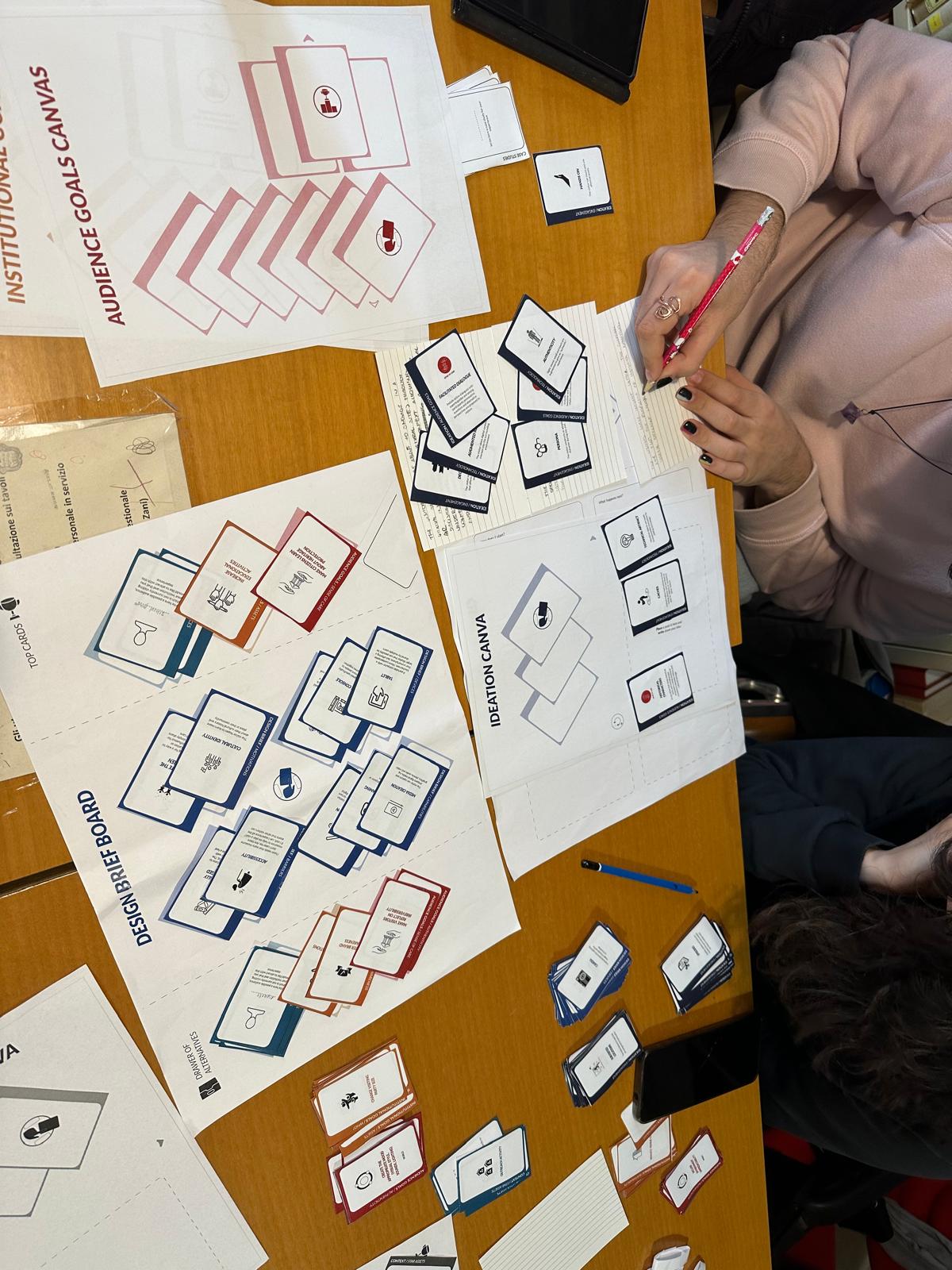
Paper version of the CoDesign Tool in use

Paper version

When your team is in the same room. Physical cards and boards create a tangible, collaborative experience that encourages equal participation and keeps everyone focused.

Best for
  • In-person workshops and design sprints
  • Situations where screens would be a distraction
  • Teams new to co-design methods
  • Contexts where haptic engagement matters
Get started with paper
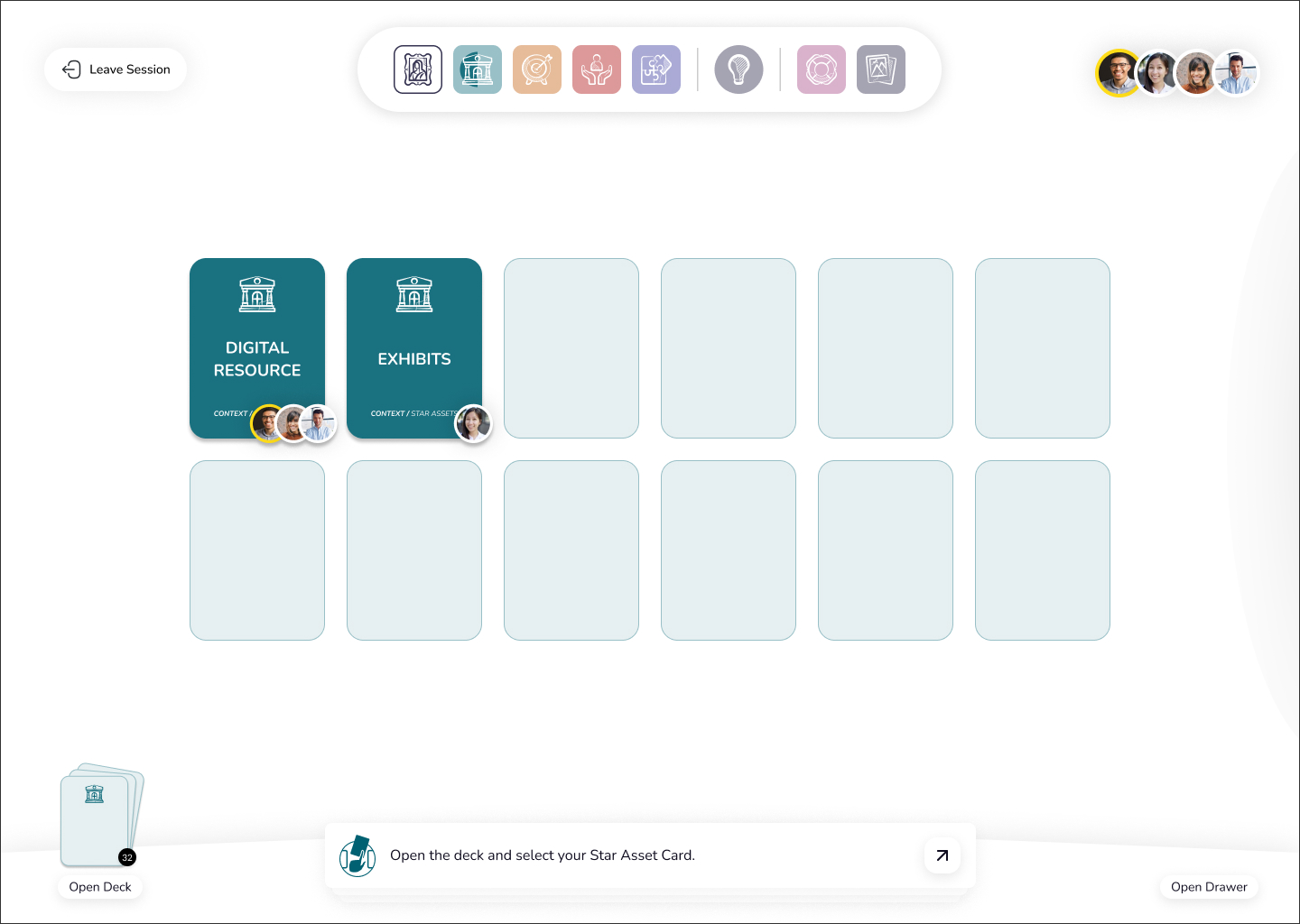
Web app version of the CoDesign Tool

Web App

When your team is distributed across locations or institutions. The web app preserves the collaborative dynamics of the physical tool while enabling remote participation and digital documentation.

Best for
  • Remote and hybrid design sessions
  • International research consortia
  • When you need to share and archive results digitally
  • Follow-up sessions after an initial in-person workshop
Get started with the web app